

Stop downloading images one by one. ImgDownloadPro is the free bulk image downloader Chrome extension that lets you download all images from any webpage in one click. It scans every image on the page — including hidden, lazy-loaded and HD versions — and packages them into a single ZIP file in seconds. No account needed. Whether you need to bulk download images as a ZIP from a portfolio, store, or blog, this image downloader Chrome extension free for Chrome and Firefox lets you download images from any website in one click with instant ZIP output.
Faster than manual downloading
Free — no account needed
Works on any website, any time
Manual right-click saving is slow and misses lazy-loaded and CSS background images. With the right bulk image downloader Chrome extension, you download all images from a webpage in one click and get a single ZIP — no account, no limits.
Right-click each image, save one by one, miss lazy-loaded and CSS background images, waste time.
One click to download all images from any webpage. Instant ZIP, HD quality, no account needed. Works on every site.
The free bulk image downloader Chrome extension for anyone who needs to download all images from a website in one click.
Guides, use cases and comparisons to get the most out of ImgDownloadPro.
Everything you need to download all images from any website in one click — built for speed, accuracy and real-world use. No missing images. No one-by-one downloads. No frustration.
Trusted by 50,000+ designers, developers and content creators worldwide.
Deep Image Scanner — Finds Hidden & Lazy-Loaded Images
Goes beyond basic image tags. Finds images hidden in CSS backgrounds, lazy-loaded elements, video posters, data attributes and Open Graph meta tags — nothing is missed.
Real ZIP Download — Bulk Download Images as One File
Downloads all images as a genuine .zip file — not a folder, not one-by-one. Organized, named by website and date, ready to open instantly.
HD First Priority — Best Quality Image Downloader
Always grabs the highest resolution version available. When multiple sizes exist, ImgDownloadPro automatically selects the best quality image every time.
Smart Logo Filter — Skip Icons & UI Clutter
Automatically skips favicons, tiny icons, header logos and UI elements. Your ZIP only contains real content images — exactly what you actually want.
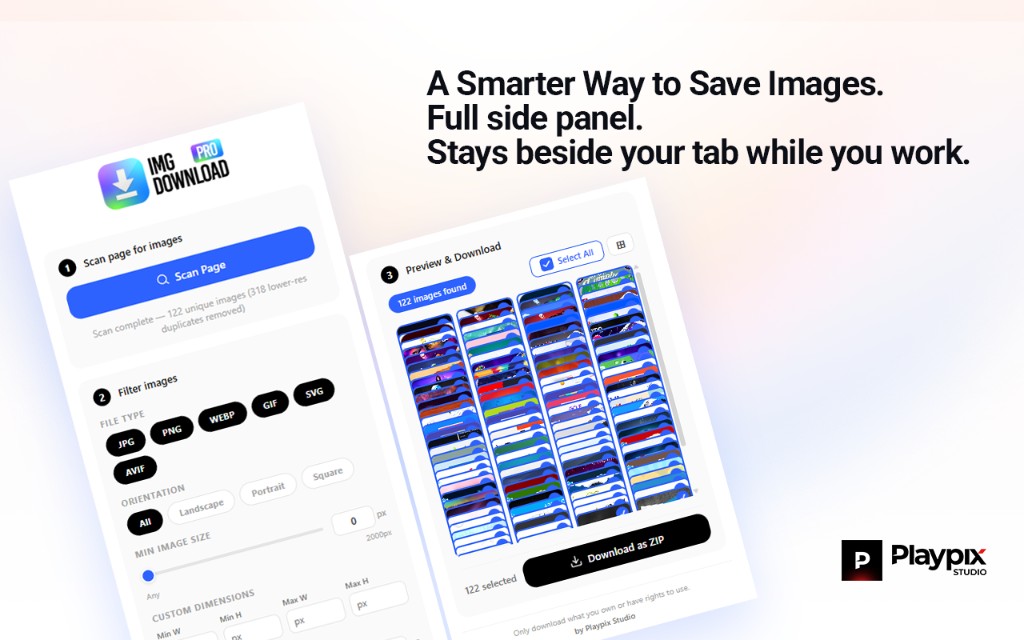
Visual Preview Grid — Choose What to Download
Before downloading, see every found image in a clean grid. Select or deselect with checkboxes. No surprises — you're always in control of what gets downloaded.
Auto-Scroll & Lazy Load — Capture Every Image on Scroll
Automatically scrolls the full page to trigger lazy-loaded images before scanning. Captures every image that only appears as you scroll — not just what's visible on screen.
Everything you need to know about ImgDownloadPro before you install.
ImgDownloadPro is a free Chrome browser extension that downloads all images from any webpage in one click. It deep-scans the entire page, finds every image including lazy-loaded and CSS background images, and packages them into a single ZIP file instantly.
No. ImgDownloadPro works immediately after installation with zero setup. No account, no sign-up, no email required. Install and start downloading in under 10 seconds.
ImgDownloadPro works on virtually every website — e-commerce stores, news sites, design portfolios, blogs and more. Some websites with very strict security may limit certain images, which we clearly flag in the extension.
No. Our smart logo filter automatically detects and skips favicons, small navigation icons, header logos and UI elements. Your ZIP only contains meaningful content images you actually want.
Absolutely. ImgDownloadPro does not collect, store or transmit any of your browsing data. Everything runs 100% locally inside your browser. No servers, no tracking, no data collection.
Install ImgDownloadPro from the Chrome Web Store or Firefox Add-ons. Open any webpage, click the extension icon, and click Download. All images are scanned and packaged into one ZIP file in seconds.
ImgDownloadPro is among the best free Chrome extensions to download all images from a webpage. It offers deep scanning, lazy-load support, HD priority, smart logo filtering, and instant ZIP output with no account required.
Yes. ImgDownloadPro auto-scrolls the page to trigger lazy-loaded images before scanning, so you capture every image that appears on scroll — not just what is visible on screen.
Use ImgDownloadPro: install the extension, open any page, click the icon and Download. All images are bundled into a single .zip file named by site and date, ready to open instantly.
Yes. ImgDownloadPro is safe: no data collection, everything runs locally. It also works on Firefox — install from the Firefox Add-ons store and use the same one-click bulk download and ZIP feature.
Get pro features for free. No credit card, no account — just install and start downloading.
Pro-level image downloading for everyone.
One click, one ZIP — completely free.
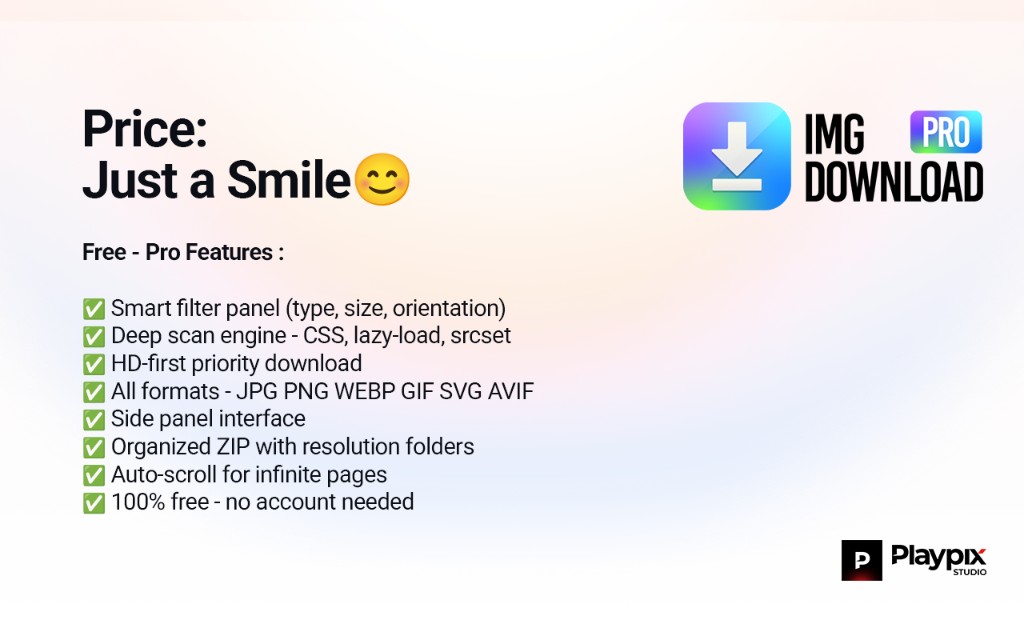
Price: Just a Smile😊
Buy Me a Coffee ☕Pro features included
Unlimited images per download
Deep scan engine
HD-first priority download
All formats (WebP, SVG, GIF, PNG, JPG)
Visual preview grid with checkboxes
Smart logo & icon filter
ZIP download included
Priority email support
Use on unlimited devices
Designers, developers and content creators trust ImgDownloadPro every single day.
ImgDownloadPro is the only extension that actually found all the images on the site I was working on. Other tools missed half of them. This got every single one and zipped them perfectly.

Sarah K.
@sarahkdesigns
The ZIP download is what sold me. I downloaded 140 product images from a competitor's website in about 8 seconds. What used to take me 30 minutes now takes less than a minute.

Marcus R.
@marcusbuilds
Clean, fast and reliable. ImgDownloadPro works on every site I've tested it on. The smart logo filter is genius — my ZIP is always exactly what I need with zero junk files.

Ananya P.
@ananyamarketing